



























TECNO HiOS 16 Update 2026 – New Features, Compatible Phones & Update Guide
TECNO HiOS 16 is Android 16 — launching Q2 2026. Superfluidity design, Dynamic Island Live Updates, Ella AI upgrade, Identity Check security. Full device list and feature guide here.

By Omar Shahid, Tech Writer — March, 2026
TECNO has announced the schedule for the rollout of its HiOS 16 update, beginning with select models in the second quarter of 2026. HiOS 16 was initially introduced at MWC 2026 Barcelona. The update features a redesigned interface centered on what the company describes as a "superfluidity" design language.
HiOS 16 is TECNO's customised Android 16 skin — and it represents the most significant visual and functional overhaul the company has delivered since HiOS 12. If you own a TECNO phone from 2024 or later, here is everything you need to know about what is coming, when, and to which devices.
What Is HiOS 16?
HiOS 16 is TECNO's customized version of Android 16, bringing new system features, performance improvements, and UI changes for eligible devices. The TECNO HiOS 16 update is expected to roll out in the second quarter of 2026.
Like every major TECNO software update, HiOS 16 is built on Google's Android 16 (codenamed "Baklava") with TECNO's own customisations, AI features, and design language layered on top.
HiOS 16 New Features: Complete Breakdown
1. Superfluidity Design Language
The update features a redesigned interface centered on what the company describes as a "superfluidity" design language. Key changes include a restructured "Minus One" screen designed to centralize access to productivity tools, smart services, and AI-generated content features.
The Superfluidity design aims to make the interface feel more fluid — smoother animations, softer transitions between apps, and a more cohesive visual language across the OS. Think of it as TECNO's version of the fluency and elegance Apple achieves with iOS animations.
2. Live Updates — Dynamic Island for Android
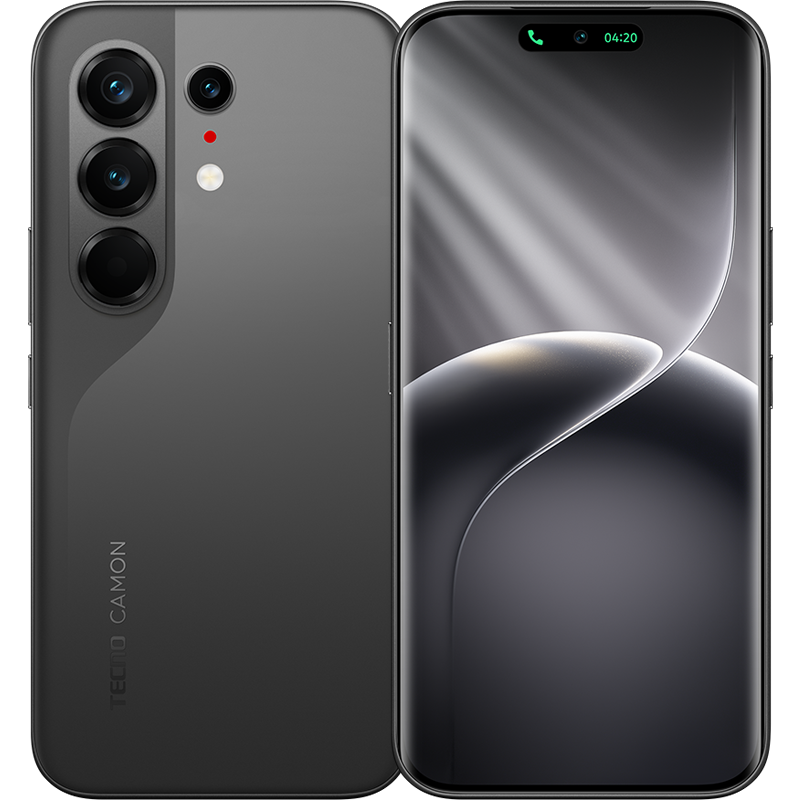
Android 16 introduces a new way for apps to show real-time progress. Instead of getting multiple separate notifications for a food delivery or a ride-share, you get one "Live Update" that stays at the top of your screen or on your lock screen. A "Dynamic Island" style notification shows real-time progress for ride-shares or deliveries directly on your lock screen.
This is the headline feature. Live Updates are the Android equivalent of Apple's Live Activities feature on iPhone — and now HiOS 16 brings them to TECNO devices.
3. Notification Cooldown
Notification Cooldown automatically lowers the volume and groups alerts when a specific app sends too many notifications at once.
An intelligent solution to notification fatigue — if an app spams you with 20 alerts in five minutes, HiOS 16 automatically lowers the volume and groups them rather than interrupting you repeatedly.
4. Identity Check — Enhanced Security
Identity Check is a new security layer that requires a fingerprint or face scan to access sensitive settings like passwords, even if the phone is already unlocked.
This mirrors a feature Apple introduced in iOS 17.3 and mirrors what Samsung One UI 7 offers. Even if someone knows your lock screen PIN, they cannot access your banking apps, passwords, or payment information without your biometrics.
5. Advanced Protection Mode
Advanced Protection Mode is a new security feature in HiOS 16 designed to block sophisticated attacks. When enabled, it consolidates three major protections into one switch: blocks app installation from unknown sources, forces the browser to use high-security HTTPS connections, and blocks older 2G network connections to prevent call interception by scammers.
The 2G blocking feature is particularly relevant for Pakistani users — 2G SS7 attacks are a known method for SIM-swap fraud and call interception. Blocking 2G entirely removes this attack vector.
6. Ella AI Upgrade
Ella has evolved into a more context-aware and proactive AI companion. It has more enhanced contextual understanding and provides a dynamic island experience.
Ella — TECNO's AI assistant — now understands context across conversations and apps rather than responding to isolated commands. The dynamic island integration means Ella can surface relevant suggestions without requiring you to open the assistant.
7. Minus One Screen Redesign
The restructured "Minus One" screen is designed to centralize access to productivity tools, smart living services, and AI-generated content features.
The Minus One screen (accessed by swiping left from the main home screen) has been rebuilt as a productivity hub — surfacing calendar events, smart home controls, AI-generated content summaries, and shortcuts to frequently used tools.
Compatible Devices: The Full HiOS 16 Update List
The CAMON 40 series will be the first to receive the new software, followed by the CAMON 30 series, including the CAMON 30S models, and the POVA 7 series in the third quarter. The update will extend to the Phantom V Flip2 and V Fold2 in the fourth quarter of 2026. Additional devices slated for the update include the POVA Curve 5G and POVA Slim 5G. Eligibility is generally limited to devices released in 2024 or later.
HiOS 16 Rollout Schedule
| Period | Devices |
|---|---|
| Q1 2026 (Already) | CAMON 50 series, POVA Curve 2 5G (launch with HiOS 16) |
| Q2 2026 | CAMON 40 series |
| Q3 2026 | CAMON 30 series (incl. 30S), POVA 7 series, SPARK 40 series |
| Q4 2026 | PHANTOM V Flip2, PHANTOM V Fold2, POVA Curve 5G, POVA Slim 5G |
Confirmed devices include: PHANTOM V Flip 2 5G, PHANTOM V Fold2, CAMON 30 and CAMON 40 series, POVA 7 series, POVA Curve 5G, POVA Slim 5G, and SPARK 40 series.
Devices NOT Getting HiOS 16
Older devices such as PHANTOM X2, SPARK 30 series, and POP 9 5G are not eligible for the update. Eligibility is generally limited to devices released in 2024 or later.
How to Get the HiOS 16 Update
Go to Settings, then System, then Software update. If your device is eligible, you will see a notification when the HiOS 16 update becomes available. Navigate to Settings → System → Software update, then follow the on-screen instructions to download and install the update once available for your device.
Step by step:
- Connect to a stable Wi-Fi network
- Charge your phone to at least 50% before starting
- Go to Settings → System → Software Update
- Tap "Check for Updates"
- If available, tap "Download and Install"
- Do not turn off your phone during installation
If the update is not available via OTA (over-the-air), you can wait for the official release or visit a TECNO service centre for assistance.
TECNO's Software Update Policy
TECNO provides up to 3 major Android updates for the PHANTOM, CAMON, POVA, and SPARK series. The MEGAPAD and POP series typically do not receive major Android version upgrades.
Three major updates is below Samsung's seven years and Google's seven years — but on par with Xiaomi, Infinix, and competing budget brands. TECNO's update commitment is improving: the extension of HiOS 16 to PHANTOM V Fold2 and V Flip2 is a positive signal for its premium device owners.
Why HiOS 16 Matters
The Live Updates feature, Identity Check security, and Ella AI upgrade are not cosmetic changes. They address real problems — notification overload, security vulnerabilities, and AI assistant usefulness — that TECNO users have encountered daily. HiOS 16 is TECNO's clearest demonstration yet that it is prioritising software quality alongside hardware value.
The Bottom Line
If you own a CAMON 40 series device: Your HiOS 16 update arrives in Q2 2026 — within weeks. Check Settings → Software Update regularly.
If you own a CAMON 30 or POVA 7 series: Q3 2026 update expected. Your device is on the list.
If you own a PHANTOM V Flip2 or V Fold2: Q4 2026. TECNO is supporting its premium devices.
If your device is not on the list: Your phone was likely released before 2024 and has reached the end of its major update lifecycle. Consider the CAMON 50 series for your next upgrade — it ships with HiOS 16 pre-installed.
What's Your Reaction?
 Like
0
Like
0
 Dislike
0
Dislike
0
 Love
0
Love
0
 Funny
0
Funny
0
 Angry
0
Angry
0
 Sad
0
Sad
0
 Wow
0
Wow
0